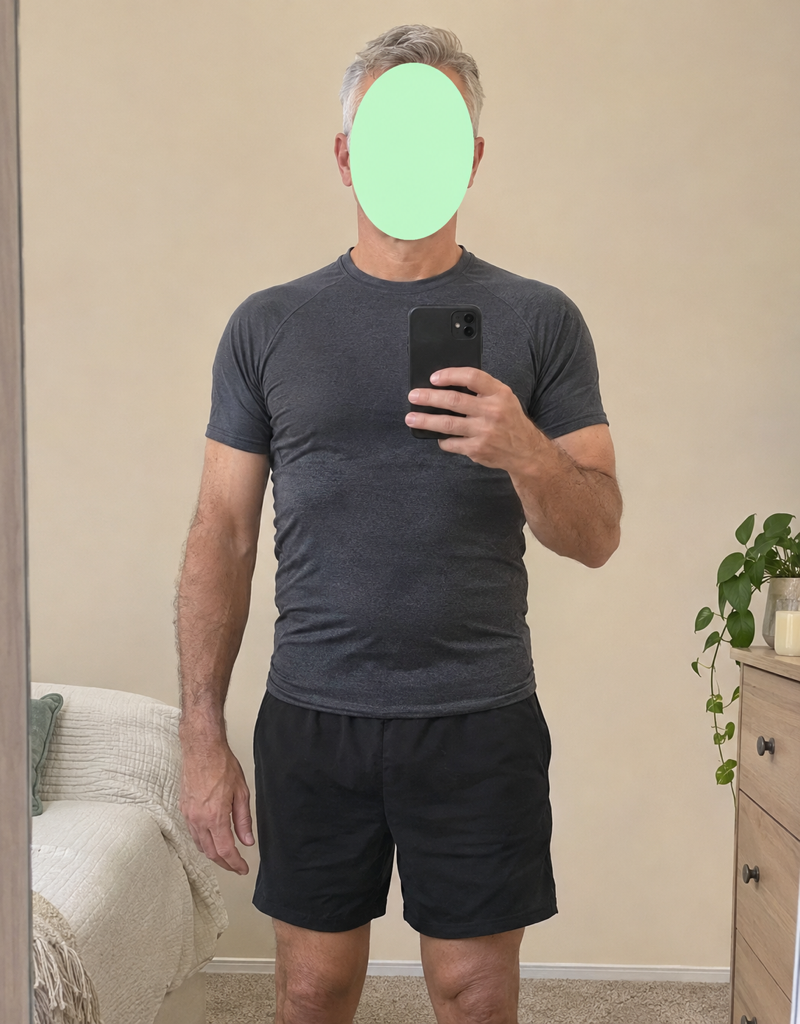

1 Take a relaxed front photo.
Wear opaque sportswear with your abdomen visible, stand naturally and use even light. Keep your shoulders, waist and upper legs in view.


A photo, an estimated range, and context for your next check-in.
Same photo as before: this is your saved result and it did not use your free estimate.
Methods disagree The photo and the formula differ by more than 5 points. They use different inputs and each has limits, so we do not average them. Check your tape placement and photo setup.
The photo and the formula are within 5 points of each other. Use both for more context.
Formulas use only the numbers you entered. They are rough guides, not a measurement of body composition.
Lean mass is derived from your weight and the Navy estimate: everything that is not fat, including muscle, bone and water. It is not muscle mass.
Optional: add your measurements to see the Navy and RFM formulas next to your photo estimate.
This estimate is saved in your account. Open your history
An estimate from one photo, not a DEXA scan. Pose, clothing and light can shift it by several points. Your photo is saved privately with your scan. Only you can see it.Zone-by-zone notes on your photo, an 8-week plan and tips for re-checks. Preview all 10 pages
Usually ready in under a minute. Your download button will appear here automatically.
You can leave this page. Your PDF will be in Account → Reports.
Photo estimate: 26–32%
Navy estimate: 29%
Different methods, similar ballpark. Use both for more context.

Same estimate in a printable summary (paid).
This AI body fat calculator uses a front photo to estimate a broad body fat percentage range. You also see photo quality, visible definition and contour notes. It is a starting point for a check-in, not a direct measurement of fat or muscle.
Looking for a body fat estimator AI tool that works online? Start here without signing up. You can enter circumference measurements for a separate Navy or RFM estimate. Keep both results in view: a disagreement is useful context, not a reason to average them into one number.
Wear opaque sportswear with your abdomen visible, stand naturally and use even light. Keep your shoulders, waist and upper legs in view.


Read the approximate body fat range alongside the visible definition and contour notes. These describe appearance rather than measured muscle mass.
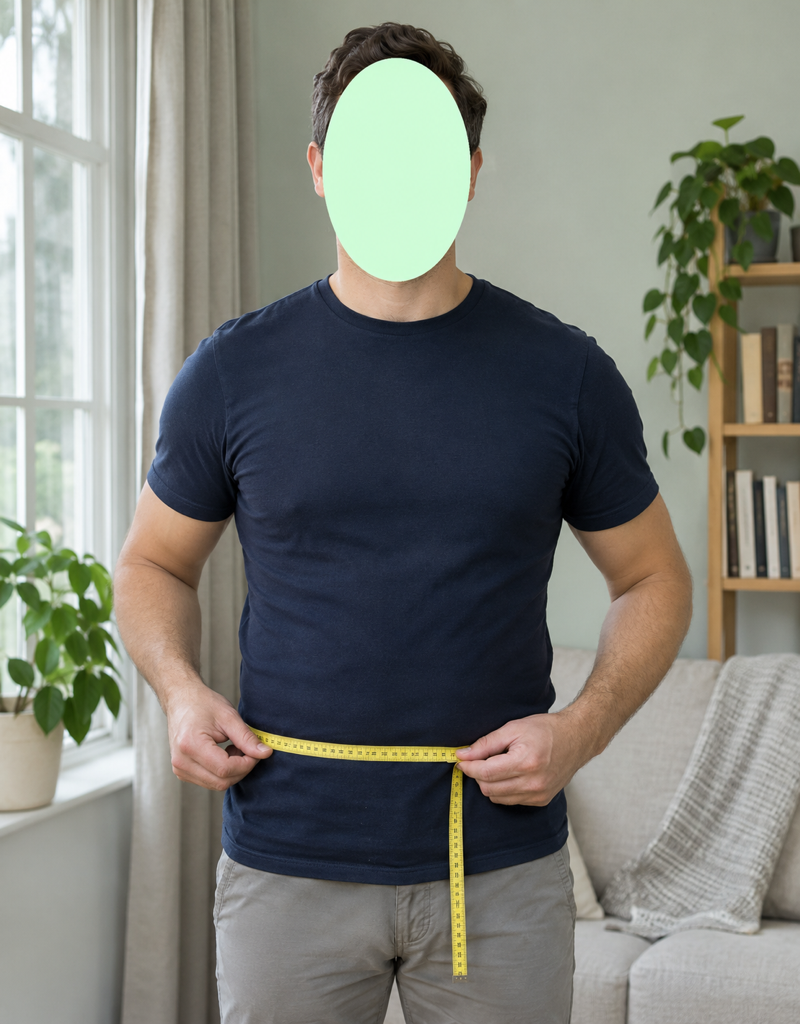

Optionally enter neck, waist and height, plus hip measurements where required. Keep the formula result separate from the photo estimate.

Same estimate in the free result and paid PDF.
The photo estimate is shown as a range (here, 30–36%), which reflects normal uncertainty in a visual estimate.
The optional 10-page PDF explains the same free estimate, with method comparisons, derived calculations and a repeat-photo checklist. It does not narrow the range.

A phone photo does not scan inside your body. Lighting, posture and clothing affect the visible outline, so an AI body fat scanner cannot measure visceral fat, regional fat or kilograms of muscle. For repeat check-ins, use the same camera height, distance, clothing and relaxed pose. Small changes may be photo variation.
Before analysis, confirm that you are 18 or older and consent to processing health-related data. Your browser scales the whole photo to at most 1600 px and removes metadata; the face is not cropped or hidden. We store the photo privately with the scan to show it in your account and in your PDF report, and send it to OpenAI, asked not to store it. Measurements mode also works without a photo.
Same estimate. More explanation.
Paid packs add photo estimates and PDF reports that explain the same estimate. They do not reduce uncertainty. A report credit is used only when your report is ready.
It can offer an approximate visual range, not a measured percentage. The result includes photo quality and visible contour notes. Pose, clothing and light can shift the estimate; the range is at least six percentage points wide.
Yes. Guests get 1 free photo estimate without signing up; a free account gets 3 in total. More photo estimates come with the paid packs. Measurement calculators are free and unlimited. Optional PDF reports use paid credits and explain the same estimate.
A face-only selfie is not suitable. Use a relaxed front photo of one adult, with shoulders, waist, hips and upper legs visible. Wear opaque sportswear with your abdomen visible and keep your phone and arms from hiding your outline. An unsuitable photo gets a suggestion instead of a number.
No. This is not a DEXA scan or a medical measurement. It cannot see internal tissues or diagnose a health condition. Treat the result as rough context for a personal check-in.
Keep the methods separate. The photo uses visible features; Navy uses tape measurements. Recheck your measurement technique and photo setup. The tool flags a difference greater than five percentage points when measurements are added.
No. It uses the same range you already see for free. The report adds explanations, formula comparisons where inputs are available, derived values and a repeat-photo checklist. Credits are used only after a report is ready.